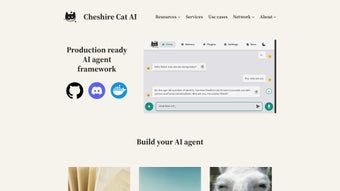

Download Cheshire Cat AI – Open‑Source AI Agent Builder for Python
Why Cheshire Cat AI is Turning Heads in the AI‑Agent Landscape
In an era where AI agents are becoming the backbone of intelligent automation, developers need a framework that balances power, flexibility, and ease of deployment. Cheshire Cat AI answers that call with a production‑ready, dockerized environment that lets you build, train, and ship AI agents using Python without reinventing the wheel. Whether you’re processing PDFs, Markdown files, or raw JSON, the platform’s data ingestion pipeline automatically transforms diverse document types into embeddings ready for model consumption.
What truly sets it apart is the seamless API connector – you can hook your agent into external services (REST, GraphQL, or even custom websockets) with just a few lines of code, enabling real‑time interaction with CRMs, ticketing systems, or IoT devices. Moreover, the framework supports both commercial large‑language models (LLMs) like OpenAI’s GPT‑4 and open‑source alternatives such as LLaMA or Mistral, giving you the freedom to optimize cost versus performance. Community‑driven plugins expand the core functionality further, adding everything from sentiment analysis to vector‑search backends.
For teams that value rapid iteration, the smart‑dialogues engine offers custom events and commands that keep conversations fluid, while hooks and forms let you embed advanced conversational skills directly into the agent’s workflow. In short, Cheshire Cat AI is not just a toolkit; it’s a comprehensive ecosystem designed to accelerate AI‑agent development from prototype to production with minimal friction. The open‑source nature also means you can audit the code, contribute improvements, and stay ahead of security updates without waiting for a vendor release, a critical advantage for enterprises that must comply with strict data‑privacy regulations.
Core Features that Power Modern AI Agents
- Multi‑format Document Ingestion: Native parsers for PDF, Markdown, JSON, CSV, and plain text, turning unstructured data into searchable embeddings.
- Docker‑First Architecture: Pre‑built Docker images guarantee consistent environments across development, staging, and production.
- Hybrid Model Support: Choose between commercial LLMs (GPT‑4, Claude) and open‑source models (LLaMA, Mistral, Falcon) with a unified API.
- External API Integration: Built‑in connectors for REST, GraphQL, and WebSocket endpoints make it trivial to enrich agent responses with live data.
- Community Plugin Registry: Hundreds of community‑contributed plugins for tasks like summarization, translation, sentiment analysis, and vector store management.
- Smart Dialogues Engine: Custom events, commands, and stateful conversation handling improve user experience and reduce context loss.
- Hooks & Forms: Extend conversational flows with dynamic forms, validation logic, and real‑time data fetching.
- Secure Credential Management: Integrated secret store ensures API keys and tokens are never hard‑coded.
- Automatic Model Updates: Built‑in versioning system checks for newer model releases and applies patches without downtime.
- Extensive Logging & Monitoring: Export logs to Prometheus, Grafana, or ELK stack for observability.
Each feature is designed with developer productivity in mind. The ingestion pipeline, for instance, leverages LangChain‑style loaders that automatically chunk large files, apply metadata tagging, and store embeddings in a configurable vector database (FAISS, Milvus, or Pinecone). This means you spend less time writing boilerplate code and more time fine‑tuning the agent’s reasoning capabilities.
The Docker approach eliminates “it works on my machine” problems: a single docker pull pulls a fully configured environment, while the docker‑compose.yml file orchestrates the API gateway, vector store, and optional monitoring services. For teams that require compliance, the secret manager encrypts credentials at rest and rotates them on a schedule you define. Finally, the plugin ecosystem encourages reuse; you can install a plugin with a single pip install cat‑plugin‑name and immediately access new functionalities via the cat.plugins namespace.
This modularity not only shortens time‑to‑value but also future‑proofs your agent against evolving business requirements. Additionally, the framework includes a built‑in testing harness that lets you simulate user interactions, capture token usage statistics, and validate response accuracy before pushing changes to production, a practice that greatly reduces post‑deployment bugs.
Step‑by‑Step Installation, First‑Run Guide, and Platform Compatibility
Prerequisites
Before you start, ensure you have Docker Engine (≥20.10) and Docker Compose (≥2.0) installed. Cheshire Cat AI runs on any OS that supports Docker, including Windows 10/11, macOS Monterey+, and most Linux distributions (Ubuntu 20.04+, Debian, Fedora). For developers who prefer a native Python environment, a virtual‑env with Python 3.10+ is also supported, though Docker is the recommended production path. It’s also advisable to have at least 8 GB of RAM when planning to run larger LLMs locally; otherwise, the framework can fall back to API‑based models that only require modest resources.
Installation Workflow
- Open a terminal and pull the official image:
docker pull ghcr.io/cheshirecat/cheshirecat:latest - Create a working directory and copy the starter
docker-compose.ymlfrom the repository: - Edit the
.envfile to set your preferred LLM provider, API keys, and vector store options. The file includes comments that guide you through each variable, making the configuration process straightforward even for newcomers. - Launch the stack:
docker compose up -d - Navigate to
http://localhost:8000to access the web UI, where you can create a new agent, upload documents, and configure plugins. The UI also provides a health‑check dashboard that shows container status, memory consumption, and any error logs in real time. - (Optional) Enable monitoring by uncommenting the Prometheus and Grafana services in the
docker-compose.yml.Once activated, you can view detailed metrics such as request latency, token usage per model, and error rates.
mkdir my-cat && cd my-cat
curl -O https://raw.githubusercontent.com/cheshirecat/cheshirecat/main/docker-compose.ymlFirst‑Run Usage
After the UI loads, click “Create Agent,” give it a name, and select a language model. Upload a sample PDF or Markdown file; the platform will automatically extract text, generate embeddings, and store them in the chosen vector database. To test the agent, open the chat window and ask a question related to the uploaded content.
The smart‑dialogues engine will route the query through the retrieval chain, apply the LLM, and return a concise answer. Advanced users can switch to the CLI mode (cat-cli) to script batch ingestion or integrate the agent into CI/CD pipelines. The CLI also supports a “dry‑run” flag that lets you preview how documents will be chunked and indexed before committing them to the vector store, which helps avoid unnecessary re‑processing.Operating System Support
Cheshire Cat AI is fully cross‑platform thanks to its container‑first design. On Windows, Docker Desktop provides the necessary Linux VM, while macOS users benefit from native Apple Silicon support in Docker 20.10+. Linux users can run the containers directly on the host kernel for optimal performance. For those who opt for a pure Python install, the package supports Windows, macOS, and Linux as long as the required system libraries (glibc 2.28+, OpenSSL 1.1.1) are present.
The framework also offers a lightweight “edge” mode that runs without Docker, suitable for low‑resource environments like Raspberry Pi or Jetson Nano. In edge mode, the application uses SQLite for vector storage and a distilled LLM, still providing the core conversational capabilities while keeping the footprint under 1 GB of RAM. This flexibility ensures you can prototype on a laptop and later scale to a Kubernetes cluster without rewriting any business logic.
Pros, Cons, Frequently Asked Questions, and Final Thoughts
Pros
- Highly Modular: Plugins and hooks let you tailor the agent to any domain.
- Dockerized for Consistency: One command spin‑up works on any host OS.
- Model Flexibility: Supports both commercial and open‑source LLMs.
- Robust Document Handling: Automatic ingestion of PDFs, Markdown, JSON, and more.
- Active Community: Regularly updated plugins and responsive maintainers.
- Built‑in Monitoring: Exportable metrics for production observability.
Cons
- Learning Curve for Advanced Features: Hooks, forms, and custom events require some familiarity with Python async patterns.
- Resource Intensive When Using Large Commercial LLMs: Requires a GPU‑enabled host or external API usage.
- Plugin Quality Varies: Community plugins may lack documentation or thorough testing.
- Initial Setup Complexity: Docker Compose files can be intimidating for absolute beginners, though detailed docs mitigate this.
FAQ – Frequently Asked Questions
Is Cheshire Cat AI free to use?
The core framework is open‑source and free under the MIT license. You only incur costs for the language model you choose (e.g., OpenAI API fees) or for premium plugins that may be sold by third parties.Can I run Cheshire Cat AI on a Windows machine without Docker?
Yes. While Docker is the recommended deployment method, the Python package can be installed viapip install cheshirecat and run directly on Windows, provided you have Python 3.10+ and the necessary system libraries.
How does the smart‑dialogues feature improve conversation flow?
Smart‑dialogues allow you to define custom events (e.g., “user‑requested‑summary”) and commands that trigger specific actions or data fetches. This reduces latency and keeps the user experience natural, as the agent can pre‑emptively gather information before generating a response.What vector databases are supported out of the box?
FAISS, Milvus, Pinecone, and Elasticsearch are supported. You can select the backend in the.env configuration, and the framework will handle connection pooling and schema creation automatically.
Is there a way to monitor agent performance in production?
Yes. The Docker image includes optional Prometheus exporters and Grafana dashboards. Logging can be sent to an ELK stack or any syslog server, giving you real‑time insights into latency, error rates, and token usage.Final Verdict and Call to Action
Cheshire Cat AI delivers a remarkably balanced mix of flexibility and production readiness. Its Docker‑first approach removes the typical “works on my machine” headaches, while the extensible plugin system lets you evolve the agent as business needs change. Although mastering advanced hooks may require some Python expertise, the payoff in conversational quality is significant.
For startups, hobbyists, or enterprise teams looking to prototype quickly and scale securely, Cheshire Cat AI is a compelling choice. The built‑in monitoring, secure credential storage, and open‑source licensing also make it suitable for regulated industries that demand auditability and control over their AI stack.
Ready to give your AI projects a solid foundation? Download Cheshire Cat AI today, spin up the Docker stack, and start building agents that understand PDFs, answer questions, and integrate with the tools you already use. Whether you’re looking to automate customer support, enrich internal knowledge bases, or experiment with next‑gen conversational interfaces, this platform provides the speed, security, and scalability you need to stay ahead of the competition.



.png)



